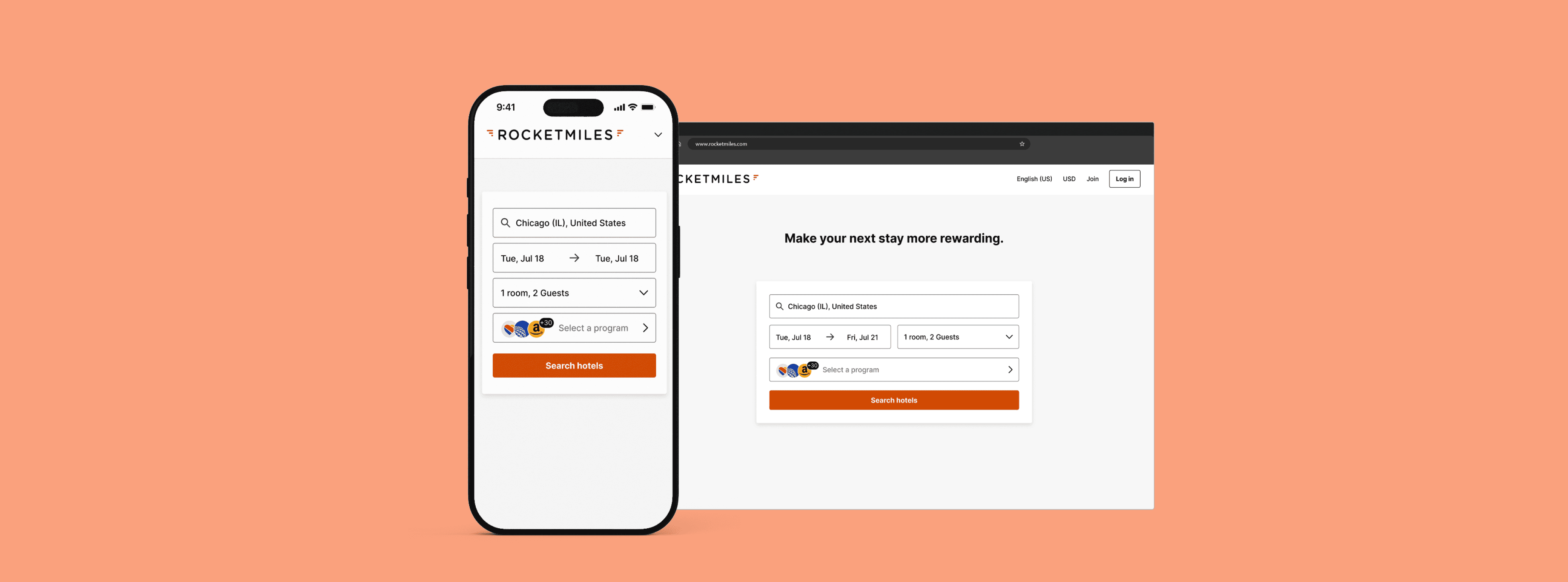
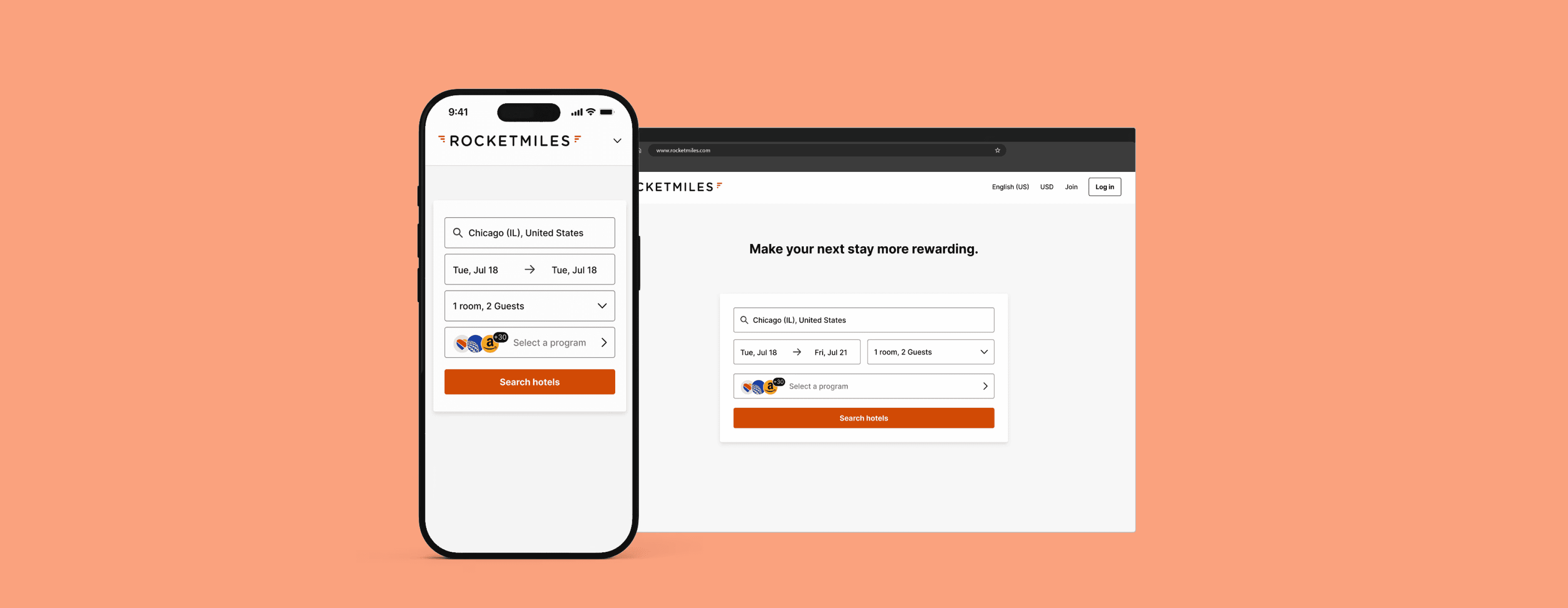
Role
Sole Designer
Team
PM + Engineering + Design mentor + design support as needed
Process
Discovery, UX Design, Visual Design, Prototyping, Dev Hand-off
Status
Ready for Development (deprioritized)
Duration
2023
Problem
Rewards members were stuck in the rewards program selection flow, preventing them from proceeding and booking.
I got my team involved when I noted friction in the rewards program selection flow on the landing page. Rocketmiles is an online booking platform partnered with 30+ enterprise-level brands, offering various rewards exclusively to their customers when they book travel. Simplifying program selection would help customers move through the funnel, book, and encourage them to return— increasing conversion and retaining customer loyalty.
Problem
On the landing page, program selection isn't very intuitive. The program selector doubles as a very long dropdown list and as a search input field, neither of which are implemented properly. This makes selection daunting and causes friction for rewards members, hindering them from proceeding to the search results page and even causing abandonment in some cases.
Solution
Common design patterns and design best practices helped inform my decisions to update the long dropdown list to a sheet, and to incorporate a separate search input within it, giving a more straightforward way to scan program options without getting overwhelmed. This would alleviate cognitive load and reduce the number of clicks, allowing customers to move forward with booking.
🚀 Houston, we have a problem...
We were excited to move on to the next phase, but the work was then deprioritized once the designs were finalized— ‘cause, ya’ know, ✨business needs✨
NEXT STEPS: I’d have wanted to get user feedback by conducting usability tests and gathering responses on the new controls from our Rocket Insiders group. Those insights might have helped to refine them a bit more before A/B testing and seeing if people could move more quickly through the search form. Even though this project was paused indefinitely, we still felt pretty confident these improvements would’ve increased conversion and also been a winner for return bookers with brand loyalty.
Search-dropdown-list? 🤔
On the landing page, the search form contains a search input field with typeahead functionality. Sometimes, it has helper text that says ‘Enter or choose a program’. Other times, the field is already autofilled with a random program. This has thrown people off, and there is no signifier to help them know it can be changed.
This input field also functions as a dropdown. When it’s active, program names are alphabetized, save for the top 3 biggest ones that sit at the very top in no particular order. The programs are also presented in a long list. With over 30 line items for branded programs, this isn't the most appropriate use of a dropdown, and it makes it daunting for members to scan.
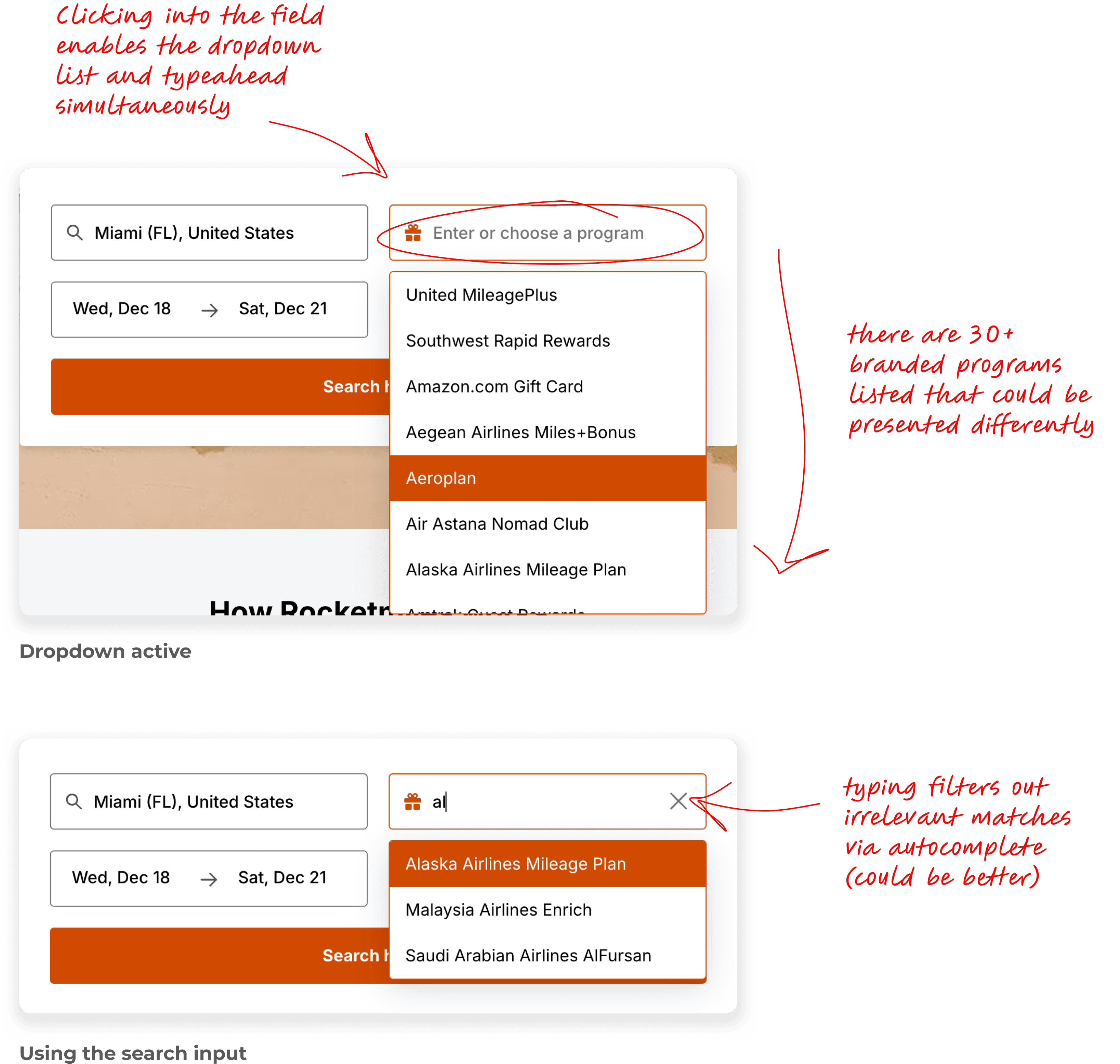

The focus here needed to be more on the basics of design best practices as they relate to function:
✏️ address auto selection of program on page load (bad practice 👎🏽)
✏️ refine the program list and simplify the way members interact with it
✏️ incorporate a proper search input
The Search Form
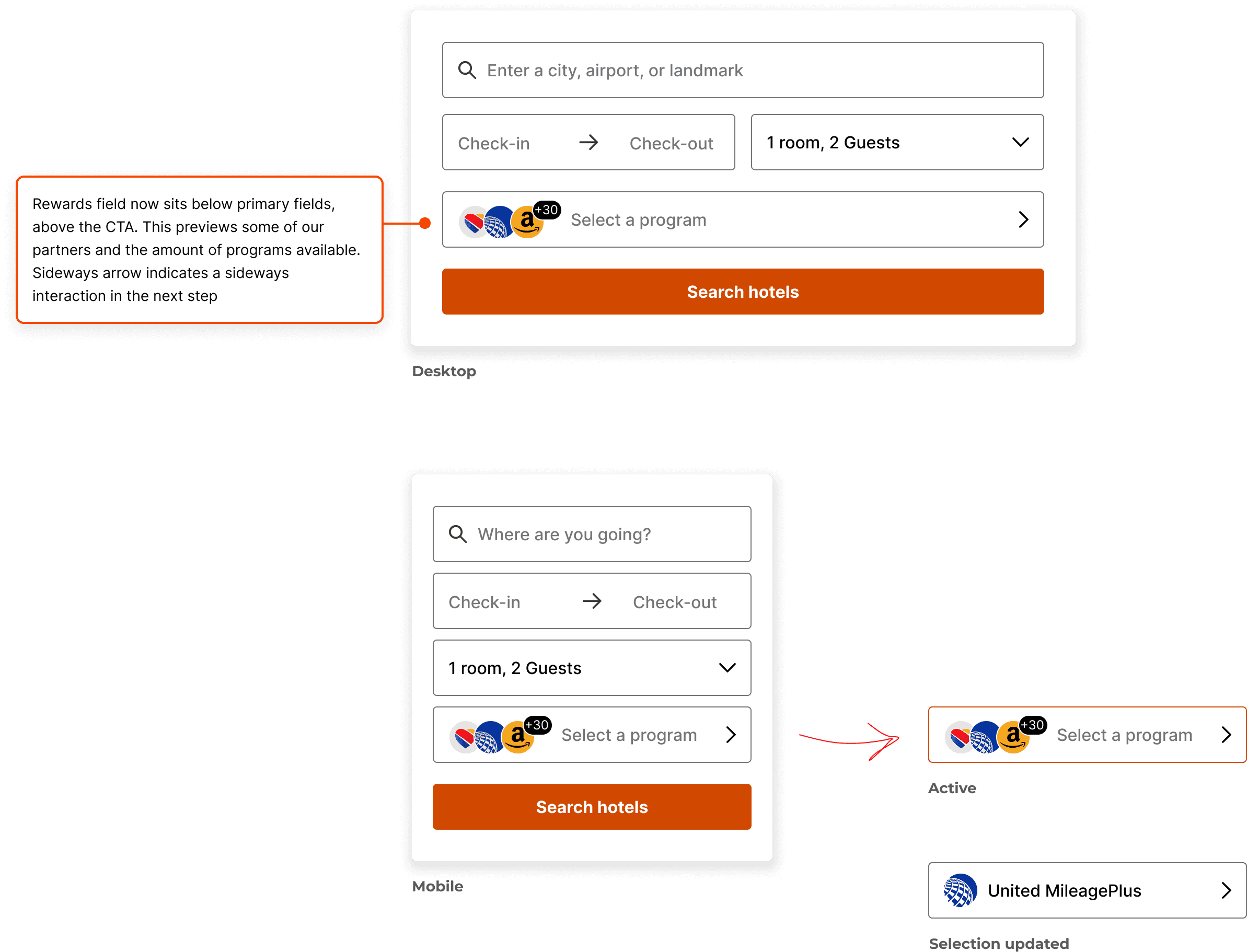
When travelers search for hotels, inputting their desired destination, preferred dates, number of rooms and guest count take priority. Seeing as the current form disrupts that order, I moved the program field above the CTA. Rather than only having helper text, showing users a program count with some of our biggest brands seemed more informative.
The List
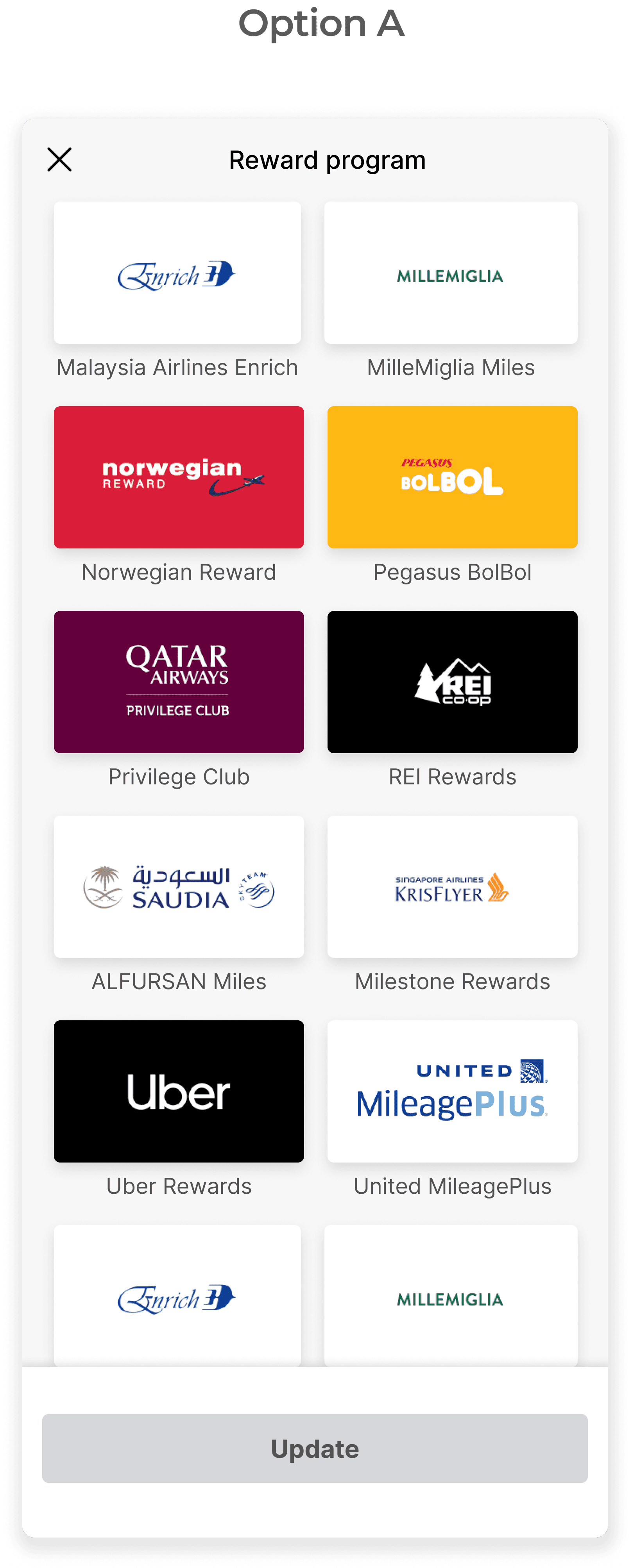
I did away with the dropdown and opted for a sheet that showcases the list of rewards options in full. Since recognition over recall eases cognitive load, I figured including brand logos would be a significant improvement. After selecting a program, the user can update their selection in the search form. I landed on 2 treatments for this:
This option boldly showcases each brand’s logo in the form of tiles with the program name nestled underneath. Tap targets are a good size, and users can easily scroll through and see what’s available.
However, the tiles take up a lot of vertical space, which equates to more scrolling. Spacing for this treatment can also break when program names get too long.
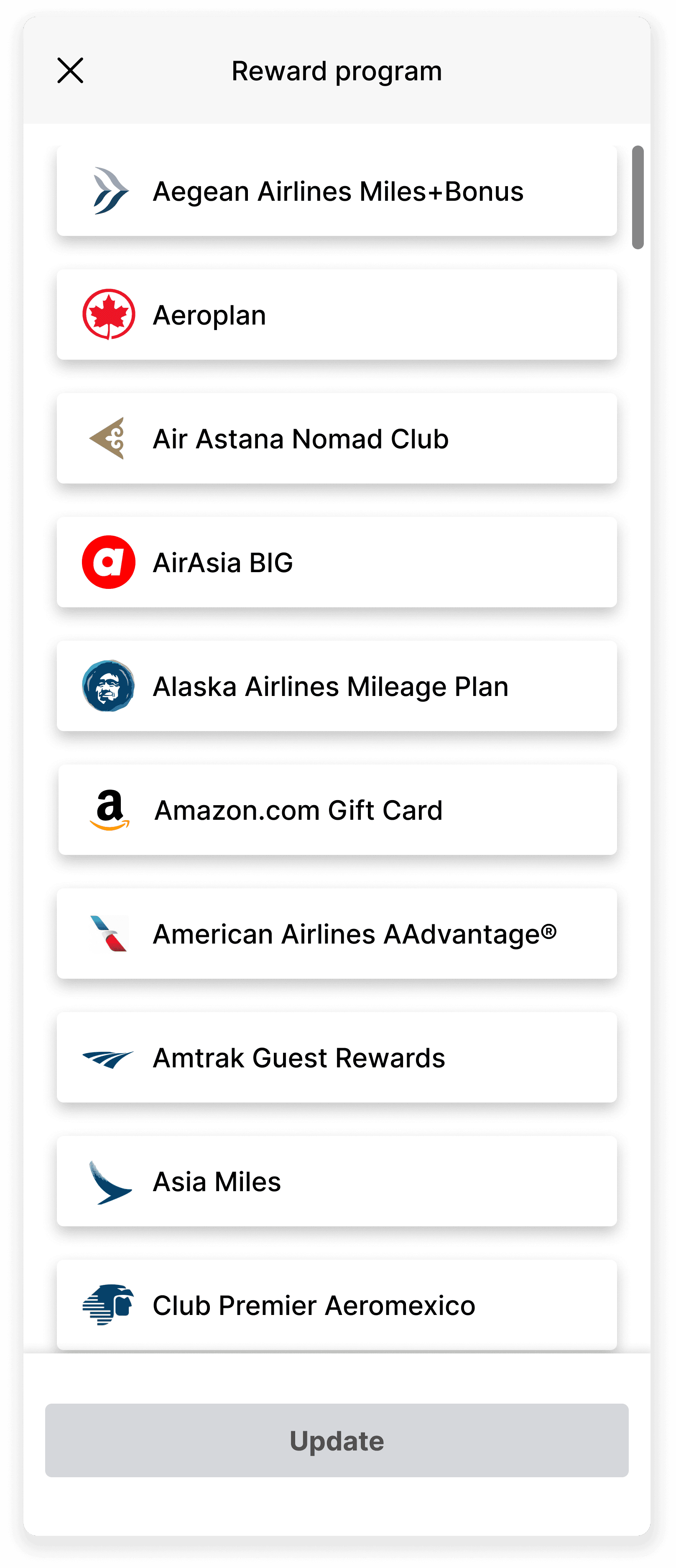
This option shows cards that take up less space, so the user won’t have to scroll as much. This also accounts for longer program names while still calling attention to brand logos.
Because the cards take up less space and allow for more options to be visible, this is the version I got buy-in for.
The Search Field
Users still needed an option to make an actual search for their preferred program. After removing this from the search form, I situated the search field at the top of the sheet. It works as a search input field should, with auto suggestions filtering out irrelevant matches based on what’s being typed.
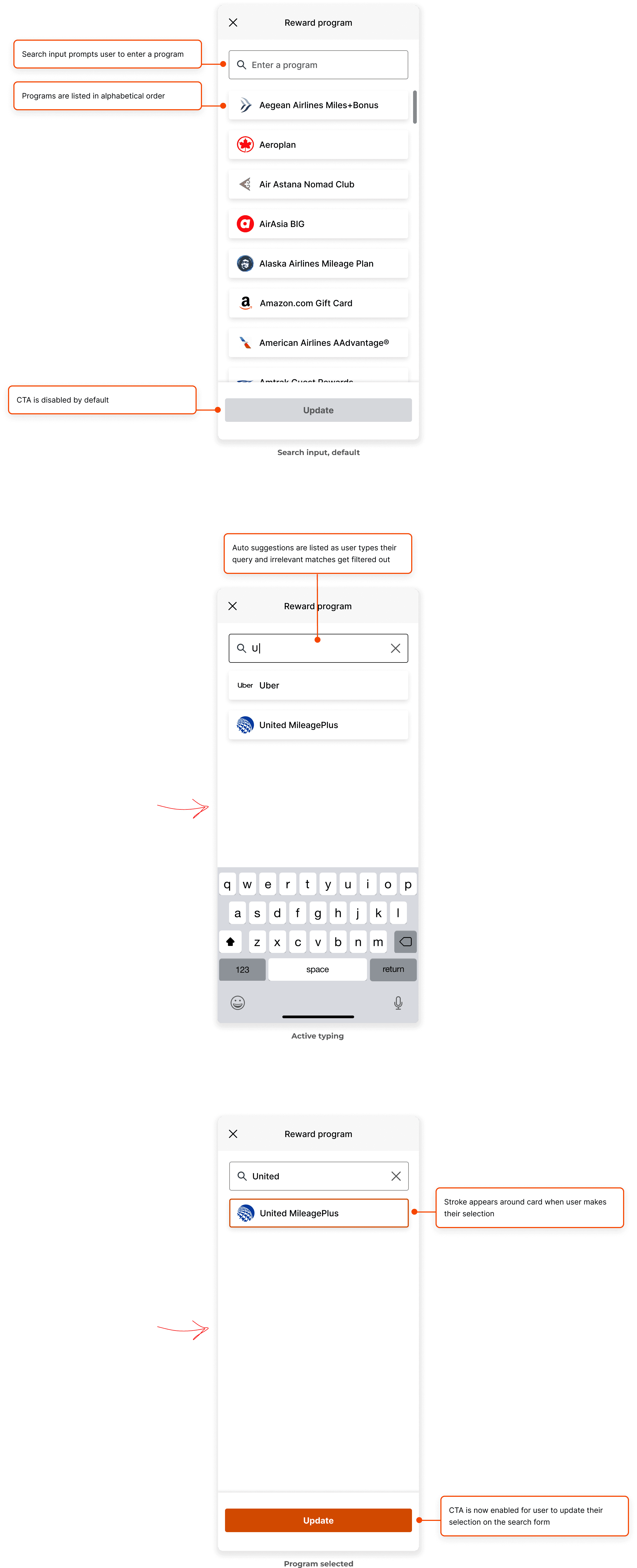
With these 2 primary functions fleshed out, I consulted with engineering on feasibility before mapping out everything else, including component states, use cases and user flows.


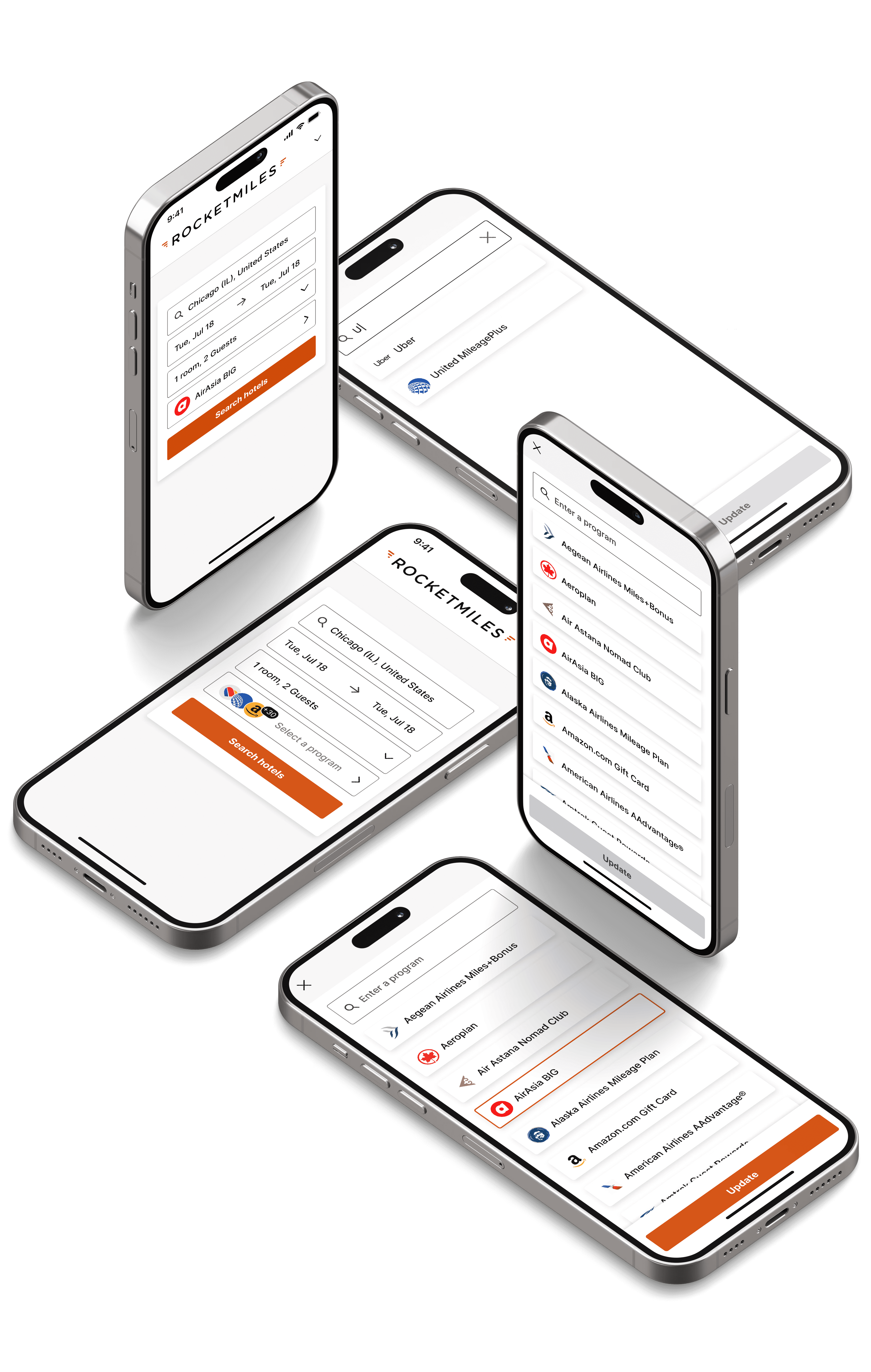
Rather than chasing shiny new features, it was nice to hone in on solving a problem centered on basic patterns and controls. Not wanting this to be a heavy lift from a technical standpoint, my PM and I prioritized simple logic that was within scope for our engineering team. By removing friction here, customers could understand all options available to them, allowing them to quickly make a choice and move on to book a room.